
Rent. Apartments & Homes review
 Analysis by GetAllApps
When I’m looking for a rental, I don’t want another pile of listings; I want a manageable way to work out which homes are worth pursuing. Rent. Apartments & Homes is built for that practical search. It is a free House & Home app from Rent Group, Inc, aimed at people comparing apartments and rental homes rather than browsing property as a pastime. My recommendation depends on how you prefer to search: it is most useful when you want a dedicated rental-finding app on your phone, and less compelling if your search is already well served by a local agent or a small, familiar set of sources.
What matters when choosing a rental-search app
The first question is whether a rental app helps you make decisions, not just collect possibilities. A listing can look appealing on a screen while failing a basic test in person: the commute is awkward, the layout does not suit your household, or the rent leaves too little room for other expenses. I treat any app as a starting point for organizing a search, not as a substitute for checking the details and contacting the people responsible for the property.
Rent. Apartments & Homes is focused on rentals, which gives it a clearer purpose than a broad property app that mixes homes for sale, market news, and other real-estate browsing. That focus is useful when I already know I want to rent and need to compare possible homes. If I am still deciding between renting and buying, a broader property resource may be a better fit because it supports that larger comparison.
Before relying on any listing app, I would also decide what matters most: location, budget, space, timing, or a particular kind of home. Making that shortlist first keeps a search from turning into endless browsing. I find it especially helpful to distinguish must-haves from preferences. A spare room may be essential for one renter and a nice extra for another; treating both as equal can hide the homes that actually fit.
A focused tool for apartment and home hunting
The app’s core appeal is its rental-first identity. The store description presents it as a place to find rental homes, and that is the job I would open it for: exploring options when moving, changing neighborhoods, or looking for a different kind of place to live. It is not an all-purpose home-management tool, and I would not choose it for decorating ideas or maintenance guidance. Its value rests on helping renters conduct a property search.
For a renter who is just beginning, that narrow purpose can reduce distraction. Instead of switching between unrelated property content, you can keep your attention on available places to rent. For someone with a very specific local requirement, though, the app should be one part of the search. Local rental offices, community listings, or direct recommendations may surface options that a general app does not make convenient to compare.
Why it can be worth keeping in the search
I would use Rent. Apartments & Homes to build an initial shortlist, then evaluate each candidate against the same personal criteria. The useful move is to compare homes by the life they support, not merely by which listing photographs catch the eye. For example, note whether the location works for your everyday travel, whether the rooms suit your household, and whether the likely move-in timing is realistic. These checks help turn browsing into a decision process.
A practical scenario: imagine you need to move while balancing work and family commitments. You can use a rental-focused app to explore possibilities in the areas you are considering, then set aside a small group to investigate properly. Rather than repeatedly reopening every attractive listing, keep a separate note of questions for each home: what costs need confirming, what is included, and what would need to be checked during a viewing. This workflow is valuable even when the app itself is only one source of listings.
Another useful habit is to search in two passes. First, look for places that meet the non-negotiables. Then revisit the remaining options with a more realistic eye for trade-offs, such as choosing between extra space and a more convenient location. A rental search often involves compromises, and viewing the options as a set makes those compromises easier to spot than judging each home in isolation.
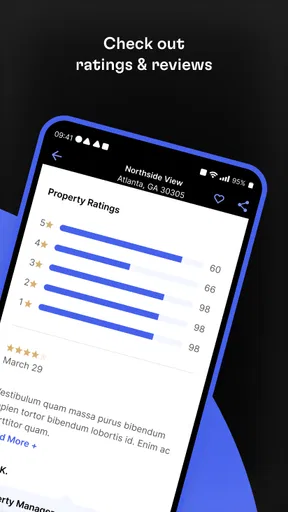
The app has a 4.7 average from around 146,000 ratings, with over 5 million installs. Those figures suggest that it has reached a large audience and is well regarded by many users, but they do not tell me whether a particular neighborhood has the listings I need. The local usefulness of any rental app depends on the places and homes relevant to your search, so I would judge it by the quality of the options I can actually evaluate rather than popularity alone.
Where the experience may fall short
The main limitation of a rental-search app is that browsing can create a false sense of certainty. A listing is not the same thing as a confirmed opportunity, and a polished presentation cannot answer every question about a home. I would verify important details directly before making plans, especially anything that affects the total cost, eligibility, availability, or the practical condition of the property.
It is also easy to spend time looking at homes that are attractive but unsuitable. If you search without a clear budget or location range, the number of possibilities can make the process feel productive while leaving you no closer to a decision. I recommend writing down your maximum comfortable monthly cost and your acceptable travel area before opening the app. That simple preparation is more useful than trying to remember your limits while scrolling.
Rent. Apartments & Homes may not be the right choice if you need personal guidance through a complex move. Someone relocating to an unfamiliar area, dealing with unusual housing requirements, or needing help understanding local rental practices may benefit more from a local professional or trusted community resource. An app can help locate candidates, but it cannot replace context and advice tailored to an individual situation.
How it compares with other ways to search
Compared with broad real-estate apps, this one is easier to approach when renting is the only goal. A wider property platform can be useful if you want to compare rentals with homes for sale or explore a larger range of real-estate information. The trade-off is focus: for a renter, a dedicated rental app keeps the task clearer; for a person considering several paths, broader coverage may be more convenient.
Compared with a local agent, Rent. Apartments & Homes is better suited to independent browsing than guided decision-making. I would start with the app if I want to see what might fit and make my own shortlist. I would lean toward an agent or local housing contact when the search involves unfamiliar rules, a narrow window to move, or questions that require a person to investigate and explain the situation.
Compared with informal listings shared through community groups or personal contacts, an app offers a more structured place to explore rental possibilities. Informal sources can still be valuable for local knowledge and recommendations. I would not treat either route as automatically complete: use the app to discover options, and use local sources to add context or find leads that suit a particular neighborhood.
Making the switch without disrupting your search
If you are moving from another rental app, the cost of switching is mostly organizational. Your saved options and notes may not transfer, so before changing tools, write down the addresses or identifying details of promising homes and the questions you still need answered. Keeping a simple shortlist outside any one app also makes it easier to compare candidates found in different places.
If you are moving from browser searches or local listings, start with a small, defined search rather than trying to rebuild your entire process at once. Choose the locations and requirements that matter most, use Rent. Apartments & Homes to explore candidates, and compare those candidates with what you find elsewhere. That approach helps you see whether the app adds useful options without making you abandon sources that already work.
The app is free, rated for Everyone, and its current version is 12.6.0. It was released on August 25, 2010, and supports iOS 8.0 or later. The long-running presence and broad adoption make it an established option to consider, while the practical test remains personal: does it help you find and evaluate homes in the area where you plan to rent?
Who I would recommend it to
I would recommend Rent. Apartments & Homes to renters who want a dedicated place to begin exploring apartments and homes, especially if they are comfortable managing their own shortlist and verifying details themselves. It is also a sensible starting point for someone comparing a move to a new neighborhood, provided they pair app browsing with a clear set of priorities and direct follow-up on promising options.
I would skip it as my only resource if I needed highly tailored guidance, had requirements that are difficult to express through a general search, or already had access to a better local channel. I would also avoid treating an appealing listing as a guarantee that a home is available or suitable. Those are reasons to combine sources, not necessarily reasons to avoid the app altogether.
My overall view is straightforward: Rent. Apartments & Homes is a useful first step, not the whole rental decision. Its rental focus makes it a natural option when the immediate task is finding a place to live, and its free access makes trying it an easy choice. Use it to explore and organize possibilities, then confirm the details that matter and compare the strongest candidates with local alternatives. That balance is how I would get the most out of it.
Pros and cons
Pros
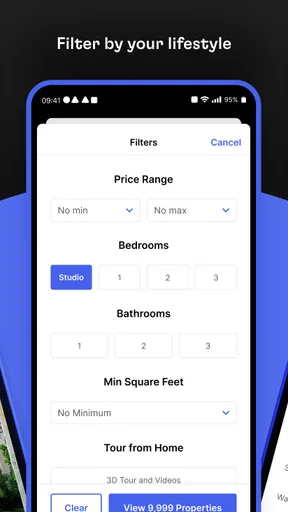
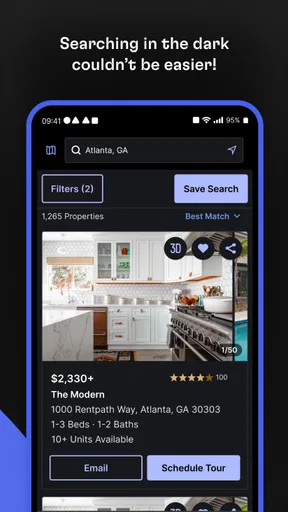
- Useful filters help narrow listings by rent price and home features.
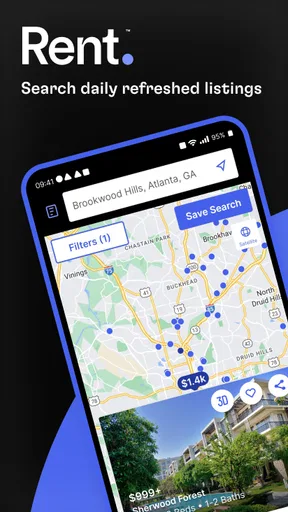
- Saved searches make it easier to revisit promising rental options.
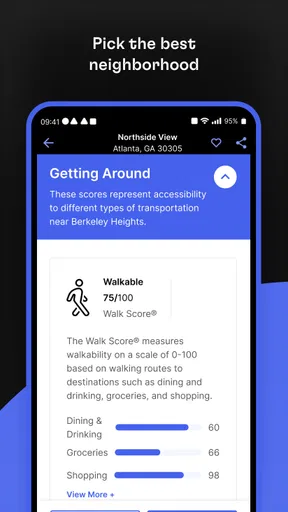
- Map views help compare listings by neighborhood.
- Listing photos offer a quick look at available properties.
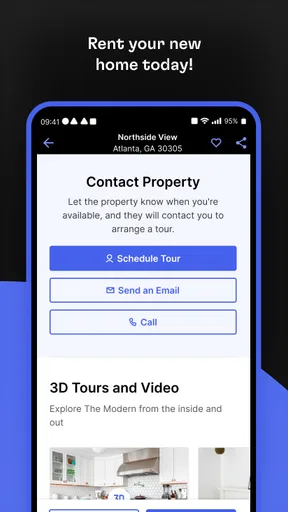
- Contact options can simplify reaching property managers.
Cons
- Listing details may be incomplete or out of date.
- Availability can change before you contact the advertiser.
- Some properties may require fees or deposits not shown upfront.
- Search results can vary by location and local listing coverage.
- You may need to share personal details to arrange a viewing.


